
Why Malaysian Players Must Verify Accounts Before First Withdrawal
Why verification comes before payout
Account verification is a standard requirement that protects both the player and the platform. When you register, the site has only the information you typed in. Before releasing funds, it needs to confirm that you are who you claim to be. This step prevents identity theft, underage gambling, and multiple accounts from the same person. Without verification, the platform cannot legally process your withdrawal to a Malaysian bank account or e-wallet like Touch 'n Go or GrabPay.
The process is not unique to this platform. Every licensed online casino follows similar rules to comply with anti-money laundering regulations. For Malaysian players, this means providing documents before the first withdrawal, not after. If you deposit first and then try to withdraw, the system will block the transaction until verification is complete. Understanding this order saves you time and avoids locked funds. Check the site's verification page under your account settings before you make your first deposit.
Documents you need to prepare
Three standard documents are typically required: a government-issued photo ID, proof of address, and proof of payment method. Your MyKad or passport works for the first one. For proof of address, a utility bill or bank statement showing your name and Malaysian address is acceptable. The document must be recent — usually from the last three months. For proof of payment, if you deposited using a bank transfer, you may need a screenshot of the transaction or a bank statement showing the transfer.
Each document must be clear and fully visible. Blurry scans, cropped edges, or expired IDs will be rejected. The platform's support team will ask you to resubmit, which delays your withdrawal. For e-wallet users, a screenshot of the e-wallet profile page showing your full name and registered mobile number may be required. Keep these files ready on your device in JPEG or PNG format. The site typically accepts uploads directly through the verification section in your account.
How to upload and submit documents
Log in to your account and locate the verification tab. On most online casino platforms, this is found under 'My Account' or 'Profile Settings'. Click the option to verify your identity. The system will present a list of required documents. Upload each file one at a time. Ensure the file size is within the limit stated on the page — usually around 5MB per file. If your image is too large, resize it using a free online tool before uploading.
After uploading, submit the documents for review. The platform's verification team will check them manually. This step can take anywhere from a few hours to a couple of days, depending on the volume of requests. You will receive an email notification once the documents are approved or rejected. If rejected, the email will explain the reason, such as 'document blurry' or 'address mismatch'. Correct the issue and re-upload. Do not submit the same faulty file again.
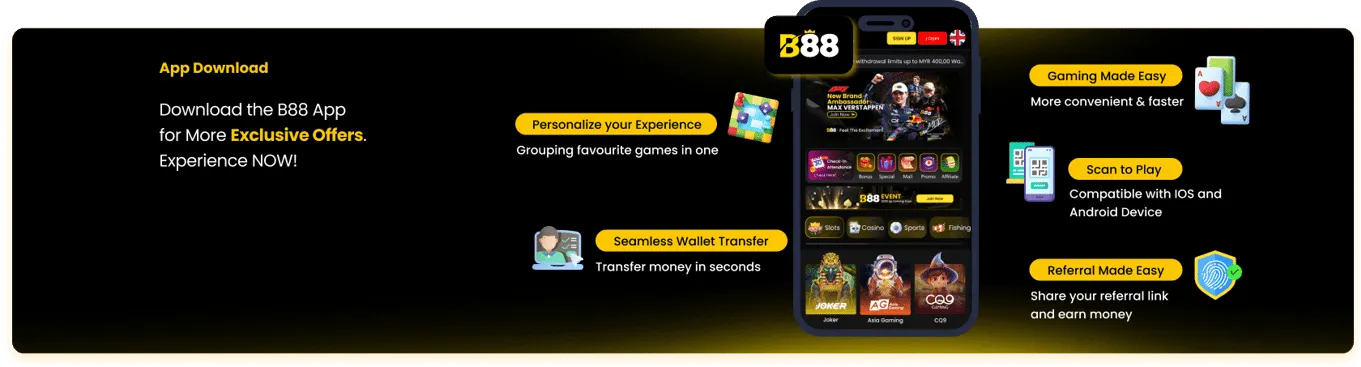
The B88 login home page lists everything in one place.
What happens after verification
Once your documents are approved, your account status changes to 'verified'. This status is usually visible in your profile. At this point, the withdrawal restriction is lifted. You can now request your first payout using any method available on the site. The platform will process the withdrawal according to its standard processing times, which you can find in the banking or withdrawal section. Note that verification does not guarantee instant payout — it only clears the identity check.
If your verification is rejected, read the feedback carefully. A common reason for rejection is that the name on your ID does not match the name on your registered account. Another is that the proof of address shows a different location from the one you entered during registration. Fix these inconsistencies before resubmitting. Contact customer support through live chat or email if you are unsure what the rejection reason means. They can guide you on exactly what to change.
Common mistakes that delay withdrawals
One frequent error is attempting to withdraw before submitting documents. The system will block the request immediately, and you must start the process over. Another mistake is using a nickname or alias when registering. The name on your account must match your MyKad exactly. Even a minor spelling difference can cause rejection. For Malaysian players, ensure your full name as printed on your ID is entered without abbreviations. Initials like 'A/L' or 'A/P' should be included if they appear on your card.
Using an outdated utility bill is another common pitfall. If the bill is older than three months, the platform may consider it invalid. Also, avoid submitting a screenshot of your e-wallet that is cropped or missing your full name. For bank transfers, ensure the screenshot shows the transaction ID and your name. Double-check that all uploaded files are readable. A simple step like saving your documents in a well-lit room and using a flat surface when photographing them can prevent delays.
Offer Comparison
| Promotion | Amount | Wagering | Min Deposit |
|---|---|---|---|
| Welcome Bonus | 225% | 12× | RM30 |
| Daily Rebate | 6% | None | RM30 |
| Share Bonus | RM10 | 5× | RM50 |
| VIP Monthly | Up to RM1,288 | 8× | RM100 |
What Works and What Does Not
The upside
- Deposit and session limits are set from the dashboard, not by asking
- Nothing to install — the lobby opens in a phone browser
- One account and one wallet across live dealer and fish shooting
The trade-off
- Live tables clear turnover at a fifth of the rate slots do
- Rebate tiers reset on the first of the month